

What is the CoinPaprika Claude Code plugin?
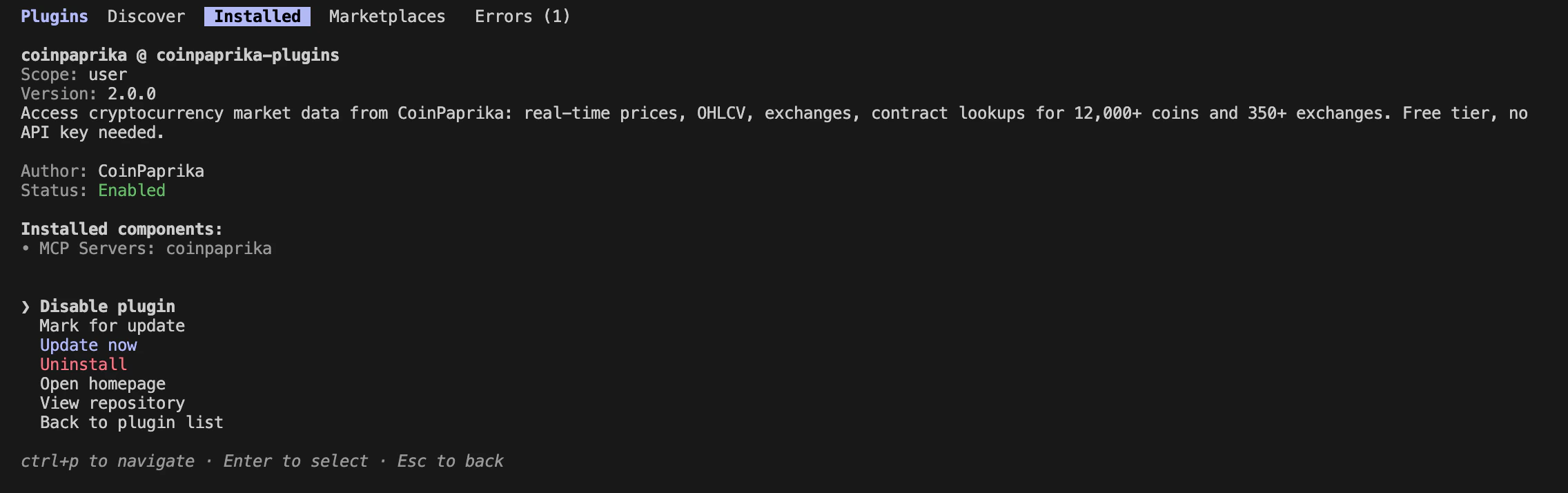
The CoinPaprika plugin is a native Claude Code plugin that gives you instant access to real-time cryptocurrency market data — prices, volumes, market caps, exchange data, historical OHLCV, and more — covering 12,000+ coins and 350+ exchanges.Two commands. Zero configuration. The plugin bundles a built-in MCP server, so no separate MCP setup is needed.
Install
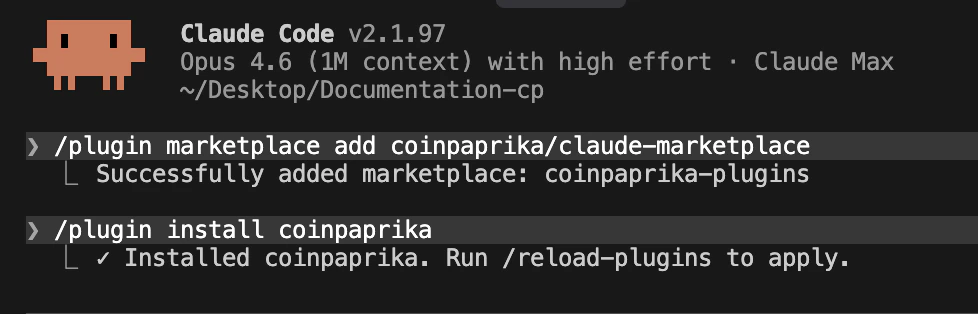
1
Add the CoinPaprika marketplace
2
Install the CoinPaprika plugin
3
Start querying
That’s it. No config files, no environment setup, no API keys needed for the free tier. Ask Claude about crypto data and it uses the plugin automatically.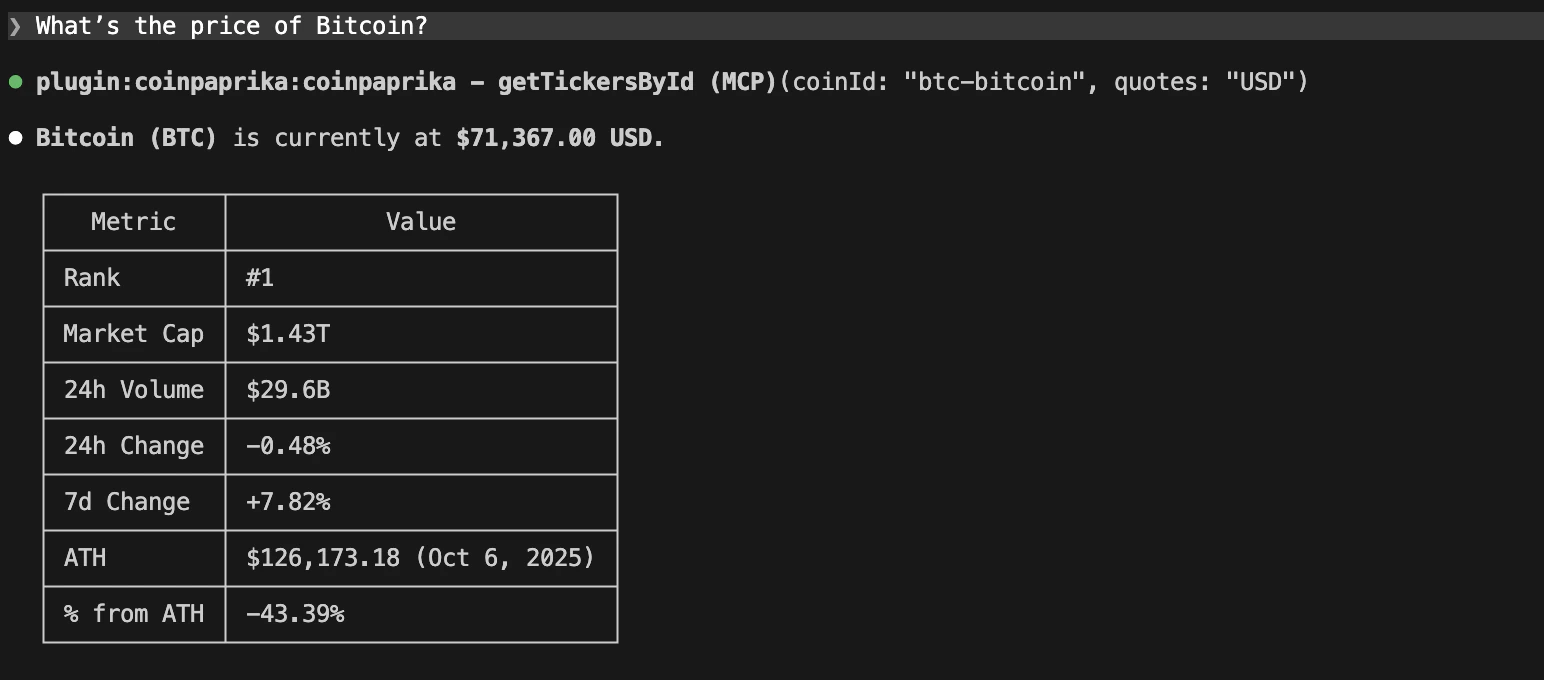
What you get
The CoinPaprika plugin includes:Example queries
Once installed, ask Claude about crypto data naturally:Prices and tickers
Exchange data
Historical data
Search and discovery
Using the @crypto-analyst agent
Manage the plugin
View installed plugins
Enable/disable
Update
Uninstall
Plugin vs MCP server vs skills
Integration with DexPaprika
The same marketplace also hosts the DexPaprika plugin for on-chain DEX data. Install both for complete crypto coverage:- CoinPaprika — CEX data: 12,000+ coins, 350+ exchanges, market caps, OHLCV
- DexPaprika — DEX data: 36 blockchains, 36M+ pools, on-chain token prices, streaming
Troubleshooting
Plugin not showing up after install
Plugin not showing up after install
- Run
/plugin marketplace update coinpaprika/claude-marketplace - Restart Claude Code
- Run
/plugin install coinpaprikaagain
Claude not using the plugin
Claude not using the plugin
Be specific: “Using CoinPaprika, show me…” or phrase questions about coins, prices, and exchanges. Claude automatically recognizes plugin-relevant queries, but explicit mentions help.
/plugin commands not recognized
/plugin commands not recognized
Make sure you’re running commands inside Claude Code (not a regular terminal). Check that you’re using the correct syntax:
/plugin install coinpaprika.No data returned
No data returned
Check that the coin ID format is correct (
btc-bitcoin, not bitcoin or BTC). Use “search for [coin name]” to find the right ID. For free tier limitations (2,000 assets), some smaller coins may not be available.What’s next?
MCP Server
Connect Claude Desktop or Cursor to CoinPaprika data
Agent Skills
Install CoinPaprika skills for any AI agent
REST API Reference
Complete endpoint documentation with interactive playground
CLI
Query crypto data from the terminal
Need help?
Join Our Discord
Connect with our community for real-time support and discussions
Direct Support
Contact our team for technical assistance and custom integrations
FAQs
Do I need an API key?
Do I need an API key?
Not for the free tier. The plugin uses the free CoinPaprika API (20,000 calls/month, 2,000 assets) by default. No key, no registration.
Does the plugin work in Cursor or Claude Desktop?
Does the plugin work in Cursor or Claude Desktop?
The plugin is Claude Code only. For Cursor or Claude Desktop, use the hosted MCP server instead — same data, different integration method.
What's the difference between the plugin and the MCP server?
What's the difference between the plugin and the MCP server?
The plugin bundles the MCP server plus extras (agents, skills). If you use Claude Code, the plugin is the easiest path. The standalone MCP server works with more tools (Claude Desktop, Cursor, VS Code).
Can I use CoinPaprika and DexPaprika plugins together?
Can I use CoinPaprika and DexPaprika plugins together?
Yes. Install both from the same marketplace. CoinPaprika covers centralized exchange data; DexPaprika covers on-chain DEX data.