

What are agent skills?
Agent skills are reusable instruction files that teach AI agents how to use a specific API. When you install the CoinPaprika skill, your AI agent gets a complete reference of every endpoint, CLI command, response format, and common workflow — so it can make correct API calls without guessing.Skills work with Claude Code, Cursor, Cline, OpenCode, and many other AI agents. One install command. No API key needed for the free tier.
What’s included
The CoinPaprika skill installs the following files into your project:
Your AI agent reads
SKILL.md automatically. The reference files are loaded on demand when the agent needs deeper detail.
Install
1
Run the install command
.claude/skills/coinpaprika-api/ in your current project.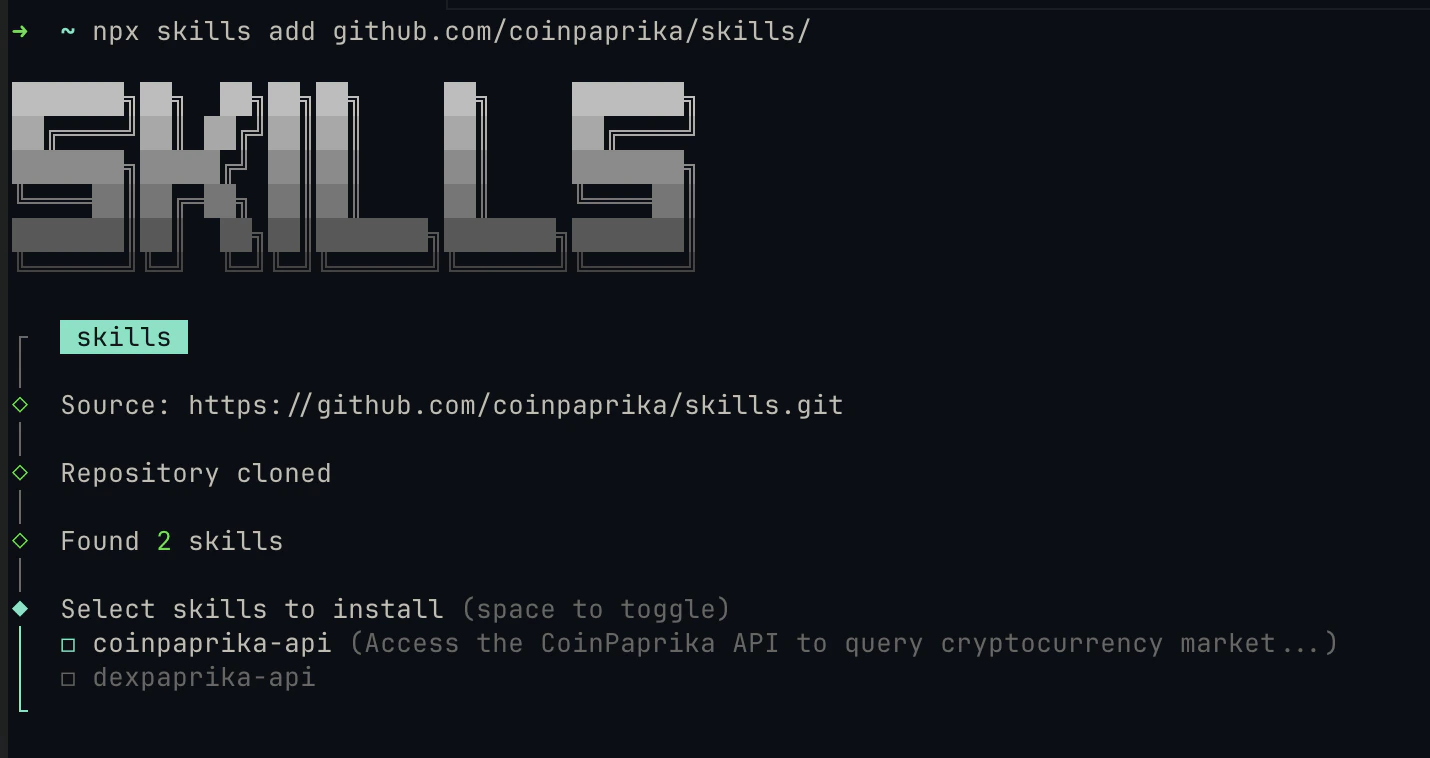
2
Check the installed files
Your project directory should now contain: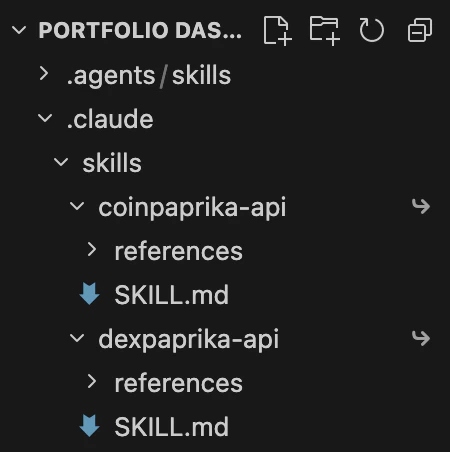
3
Restart your agent
Restart Claude Code (or your AI tool) so it picks up the new skill files. Skills are discovered at startup.
Verify it works
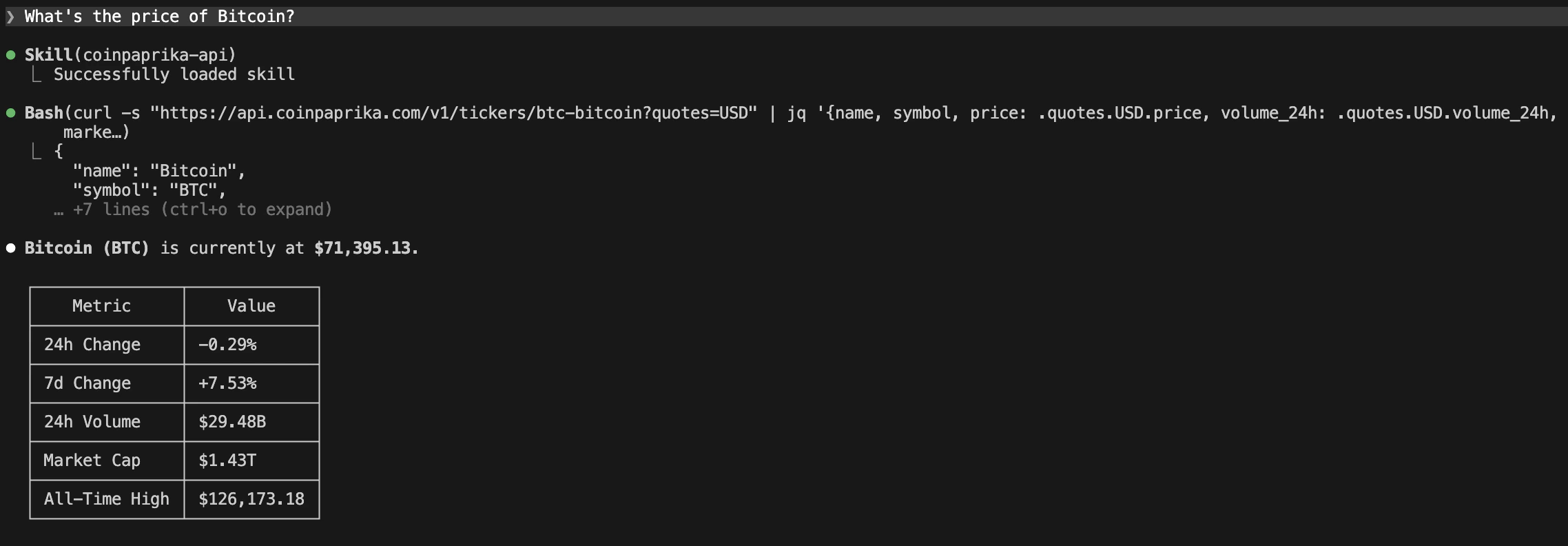
After restarting, ask your AI agent a CoinPaprika question:https://api.coinpaprika.com/v1/tickers/btc-bitcoin and return the price. If it does, the skill is loaded and working.
Try a more specific query:
Example queries
Once the skill is loaded, your agent knows the full CoinPaprika API. Here are things you can ask:Price and market data
Historical data
Search and discovery
CLI commands
The skill teaches your agent to usecoinpaprika-cli if it’s installed:
Currency conversion
Skills vs MCP server vs Claude Code plugin
You can combine approaches. Install the skill for API knowledge and connect the MCP server for tool-based access. They complement each other.
Manage skills
Troubleshooting
Skill not loading after install
Skill not loading after install
Restart your AI agent (Claude Code, Cursor, etc.). Skills are discovered at startup. If it still doesn’t load, verify the files are in the right location:You should see
SKILL.md and a references/ directory.npx skills command not found
npx skills command not found
The If Node.js is installed and it still fails, try:
skills CLI requires Node.js 16+. Check your version:Agent not using CoinPaprika for queries
Agent not using CoinPaprika for queries
Be specific in your prompt. Instead of “What’s the price of Bitcoin?”, try “Using the CoinPaprika API, get the ticker for btc-bitcoin.” The agent should recognize the skill context and use the correct endpoints.
Wrong directory structure
Wrong directory structure
Skills must be direct children of
.claude/skills/. If the files ended up nested differently (e.g., .claude/skills/skills/coinpaprika-api/), move the coinpaprika-api folder so it sits directly inside .claude/skills/.What’s next?
MCP Server
Add managed MCP tools to Claude Desktop, Cursor, or VS Code
Claude Code Plugin
Get the full plugin bundle with MCP tools, agents, and skills
CLI
Query crypto data from the terminal with coinpaprika-cli
REST API Reference
Complete endpoint documentation with interactive playground
Need help?
Join Our Discord
Connect with our community for real-time support and discussions
Direct Support
Contact our team for technical assistance and custom integrations
FAQs
Do I need an API key?
Do I need an API key?
Not for the free tier. The free CoinPaprika API provides 20,000 calls/month and covers 2,000 assets with no key required. For paid plans (Starter $99/mo and up), you’ll need an API key — the skill includes instructions for both.
What's the difference between skills and MCP?
What's the difference between skills and MCP?
Skills give your agent knowledge (API docs, CLI commands, common patterns). MCP gives your agent tools (callable functions that return live data). Skills make your agent smarter about the API; MCP does the calling for it.
Which AI agents support skills?
Which AI agents support skills?
Claude Code, Cursor, Cline, OpenCode, Aider, and many others. The
skills CLI auto-detects your agent, or you can target one explicitly with the --agent flag. See the full list of supported agents.Can I use skills and MCP together?
Can I use skills and MCP together?
Yes. Install the skill for deep API knowledge and connect the MCP server for tool-based access. They complement each other well.